UK Capital Gains Calculator
Use cgt-calc to calculate UK capital gains from your investment transaction history and generate a detailed report from a supported broker export.
Supported sources include Charles Schwab, Freetrade, Hargreaves Lansdown, Interactive Brokers, Morgan Stanley, Revolut, Sharesight, Trading 212, Vanguard, or a custom RAW format. Check your broker's guide before starting, especially for employer shares, because not every award export or transaction type is supported.
Where to start
- Installation — install cgt-calc and check that it runs
- Brokers — find the export instructions for your broker
- Generate a report — run cgt-calc and check the results
- Offshore funds (ERI) — if you hold non-UK funds
What cgt-calc calculates
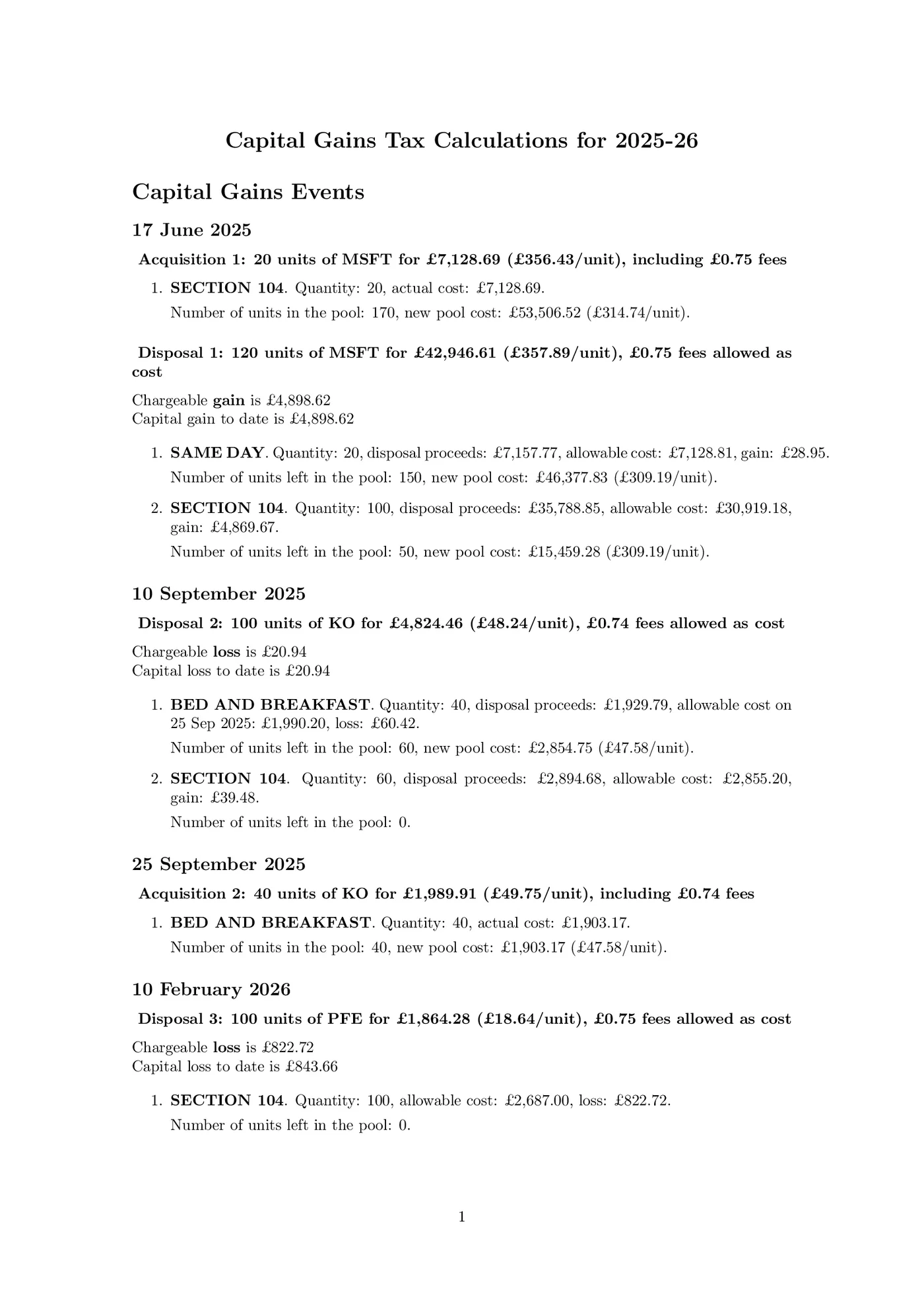
For supported transactions, the tool converts prices to GBP and applies the UK same-day, 30-day ("bed and breakfast"), and Section 104 holding rules. These match a sale with shares bought or received on the same day, shares bought or received within the following 30 days, then older shares. Shares that arrive through a company reorganisation, such as a spin-off, are not matched this way: they join your Section 104 holding at their share of the original cost. It shows Disposal proceeds (the sale price or value used when no sale took place), Allowable costs (costs included in the gain or loss calculation), gains, losses, dividends, and interest in the terminal and writes the full calculation to a PDF report.
cgt-calc reports the net gain from the transactions you supply and, for supported tax years, estimates the amount left after the annual tax-free allowance for capital gains (the annual exempt amount) and the Capital Gains Tax on it: at the basic and the higher rate, or as one estimate if you give your income. It does not include gains or losses outside those inputs, work out your final tax bill, or submit a tax return. Some investment scenarios are not supported; check the relevant broker guide and the offshore funds limitations before relying on the result.
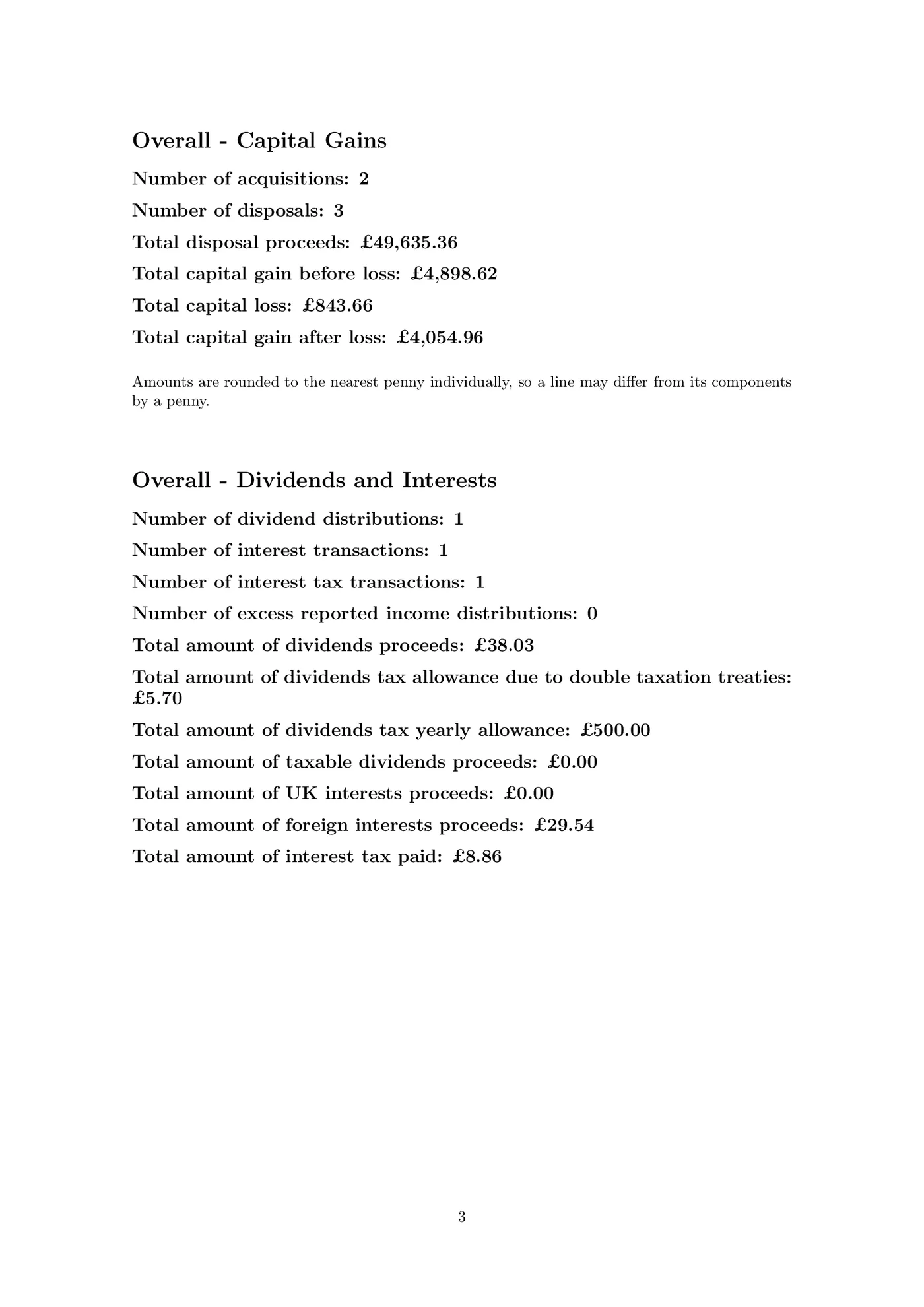
The PDF report includes separate Capital Gains and Interest and Dividends sections, with a summary at the end. Interest is grouped monthly per broker to keep reports concise, even for brokers that pay daily interest.
Example report
This compact 2025/26 example shows foreign-currency transactions, how sales are matched with shares acquired at different times, gains and losses, a dividend with overseas tax, and cash interest: